1.
Login to http://Stats.Colony1.Net/
2. Click
Workspace left icon
3. Click
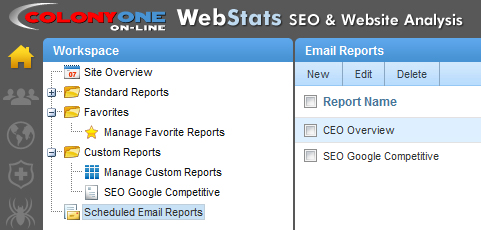
Scheduled Email Reports in left tree menu
In the right pane you will see all your Scheduled Email Reports and can Edit them.
CEO Overview is the default report we setup but others can be added.
Article ID: 241, Created: 9/21/2010 at 1:15 PM, Modified: 4/15/2014 at 12:52 PM